See It in Action
Six pages that make up most of a day in CAF Scout.
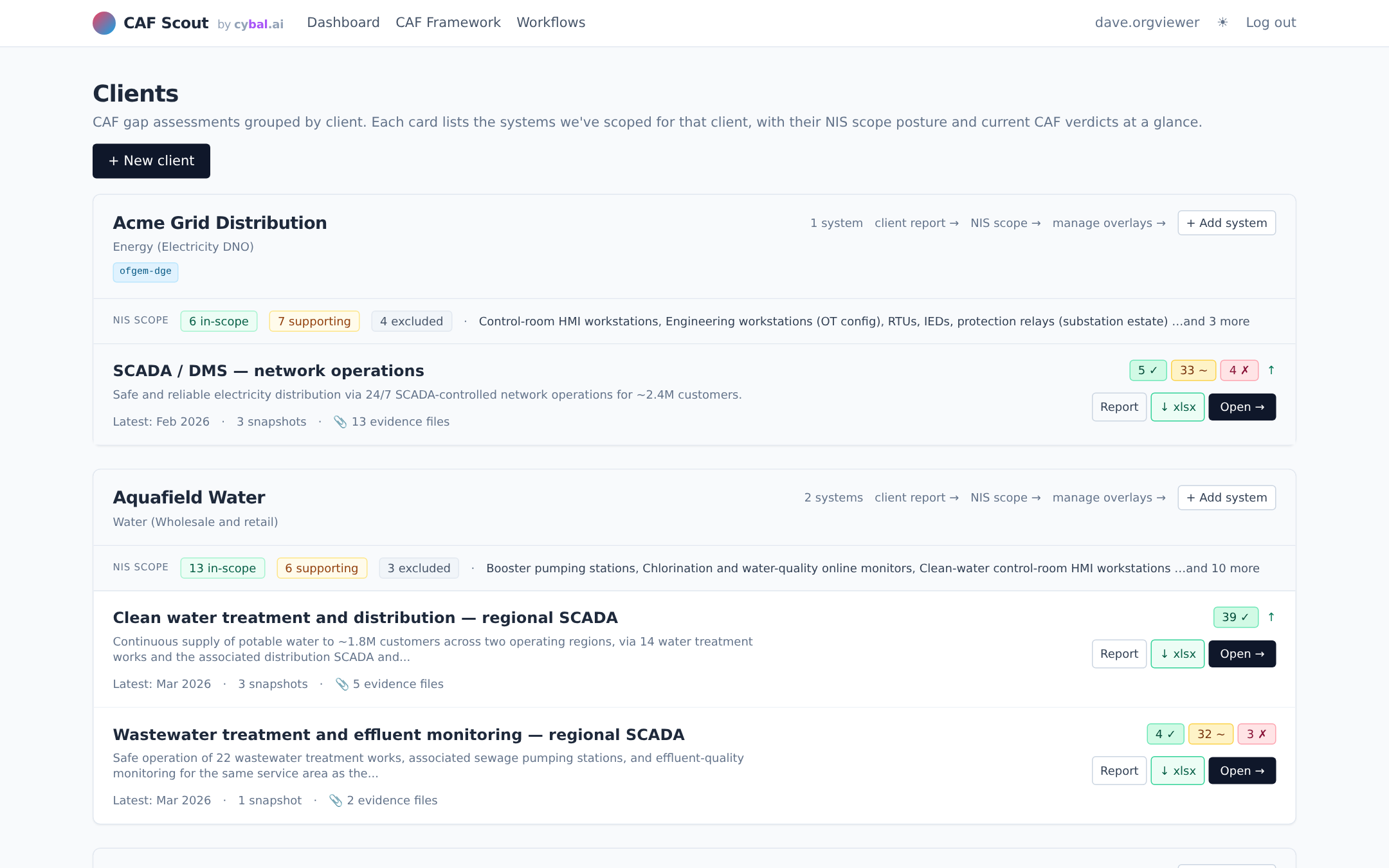
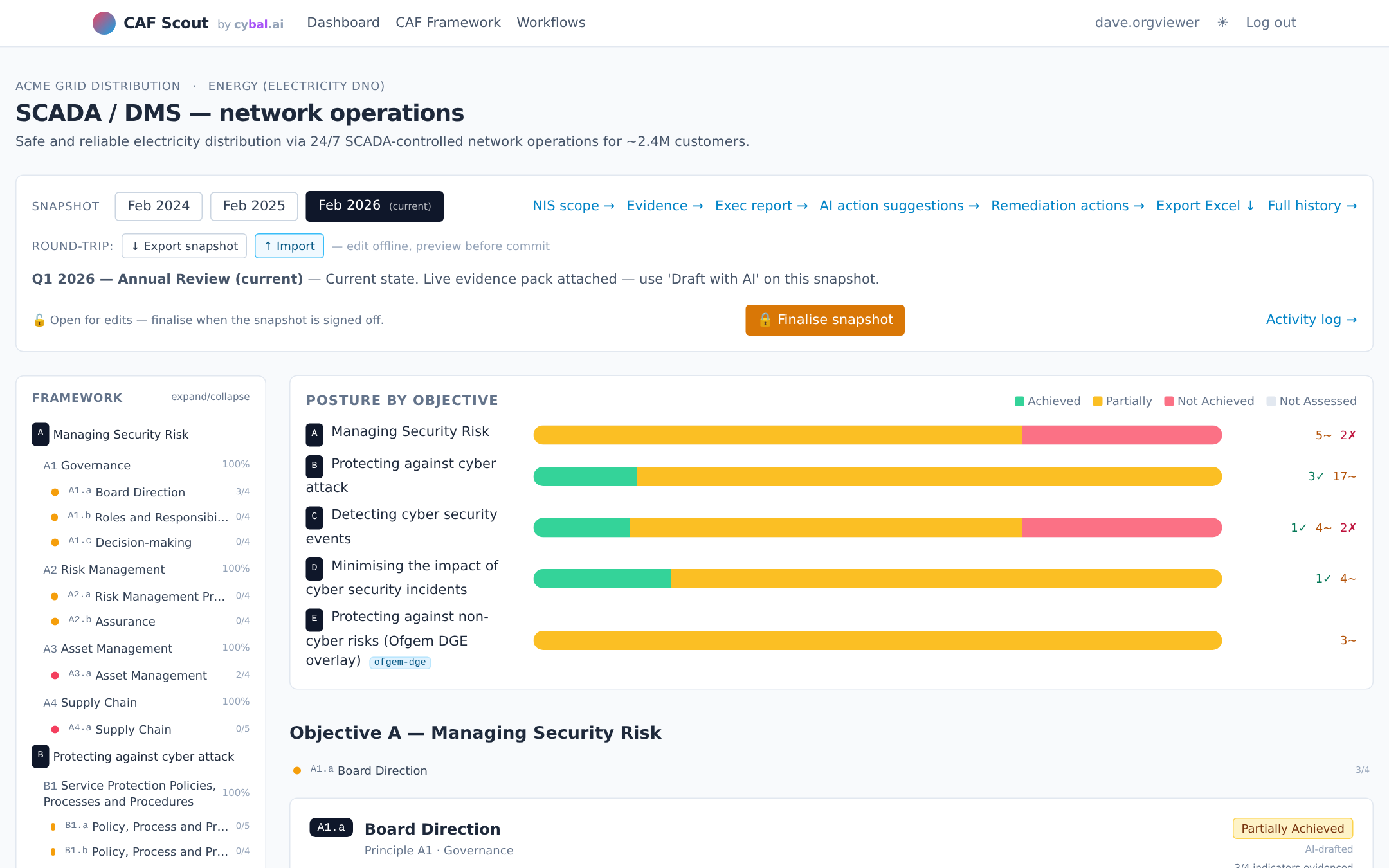
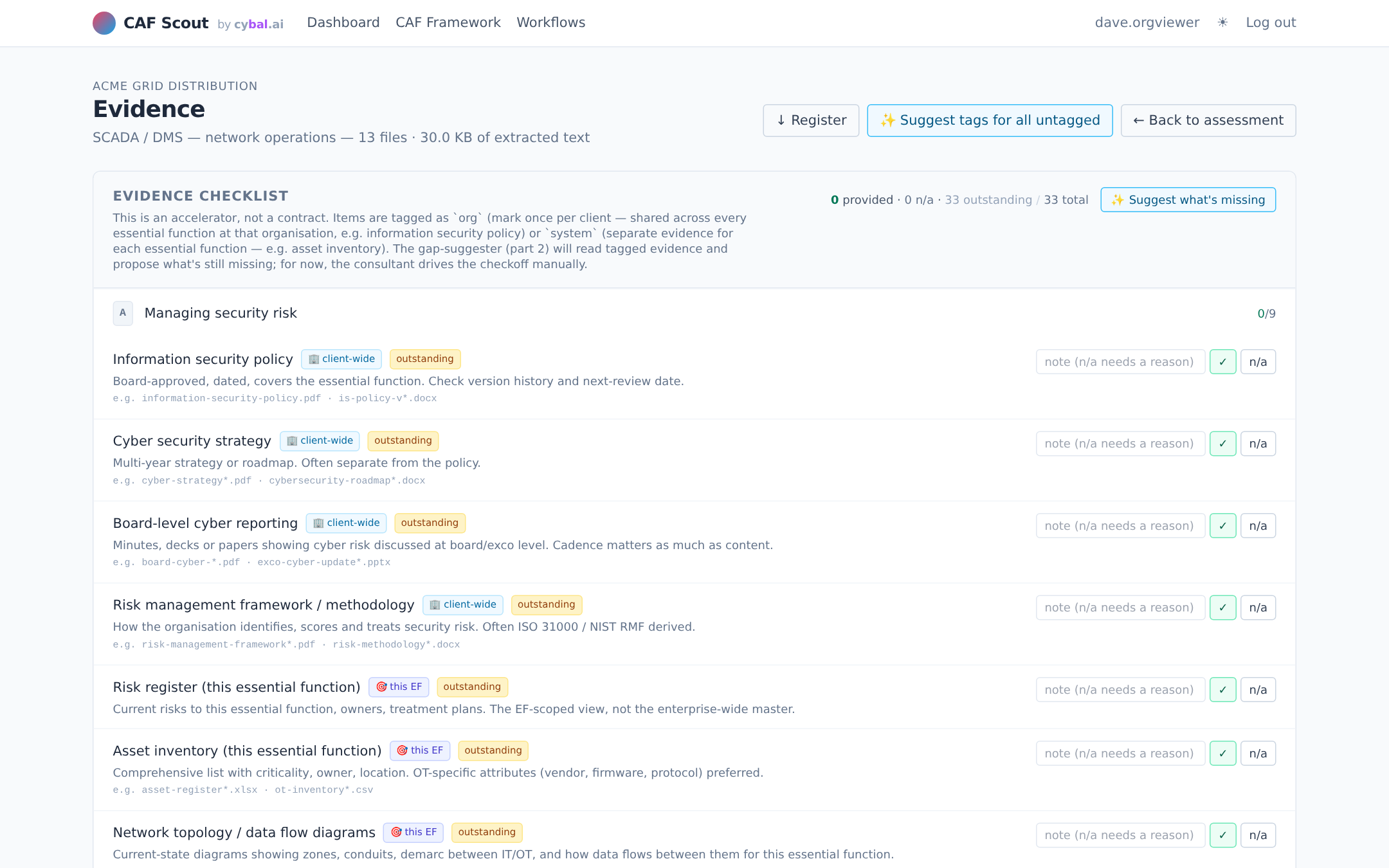
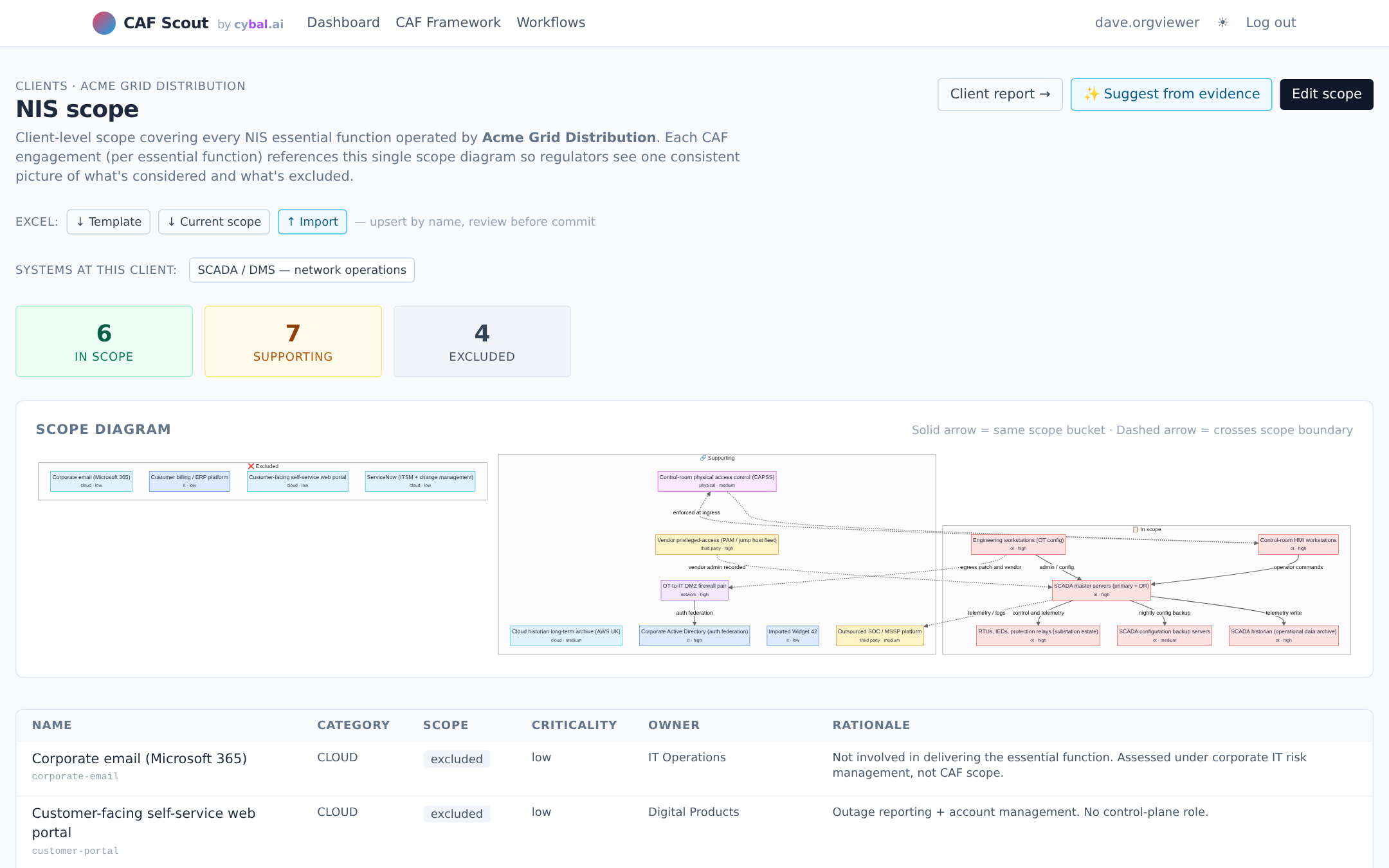
An AI-assisted workbench for the NCSC Cyber Assessment Framework. Evidence tagging, AI-drafted verdicts you sign off, regulator profiles built-in, Excel round-trip. Self-hosted. Bring your own LLM, or run none at all.
A full CAF assessment touches 39 contributing outcomes, each backed by indicators of good practice and a pile of evidence. It's a lot of reading, a lot of mapping, a lot of writing. AI is good at that work, and an AI-drafted first pass gives you something independent to push back against.
AI reads the evidence faster than a human ever can. Feed in the policies, risk registers, incident reports, and network diagrams, and the tool drafts a per-outcome verdict with a short justification grounded in the text. What used to take a fortnight of reading becomes an afternoon of reviewing.
When you've written the policies, you also tend to read them charitably. An AI draft has no such bias: it looks at the evidence as it is, not as you hoped you'd written it. Use it as the first dissenting voice in the room. If it flags a gap you didn't see, that's the most valuable line in the report.
One of the hardest things about CAF is being consistently strict (or lenient) across all 39 outcomes. Humans tire; models don't. A tool that applies the same rubric every time gives you a more even baseline, and makes disagreements easier to have, because they're about the rubric, not the reviewer's mood.
CAF is not a one-off. Regulators expect annual or more frequent re-assessment. CAF Scout stores the evidence, the verdicts, and the rationale, so re-assessment becomes "what changed?" rather than "let's start again." Year-on-year comparison becomes the product, not a side effect.
CAF is a big framework. CAF Scout is our tool that tries to make it less of an ordeal, an AI-assisted workbench with all the assessment plumbing in one place.
Upload policies, diagrams, reports and run-books. The tool extracts text, tags each file against CAF objectives, and flags what's missing against a gathering checklist.
One click drafts a verdict and matched IGPs per outcome. You review, edit, and sign off. Every AI draft is surfaced as a draft, never as a finalised verdict, and the underlying evidence is cited so you can challenge it.
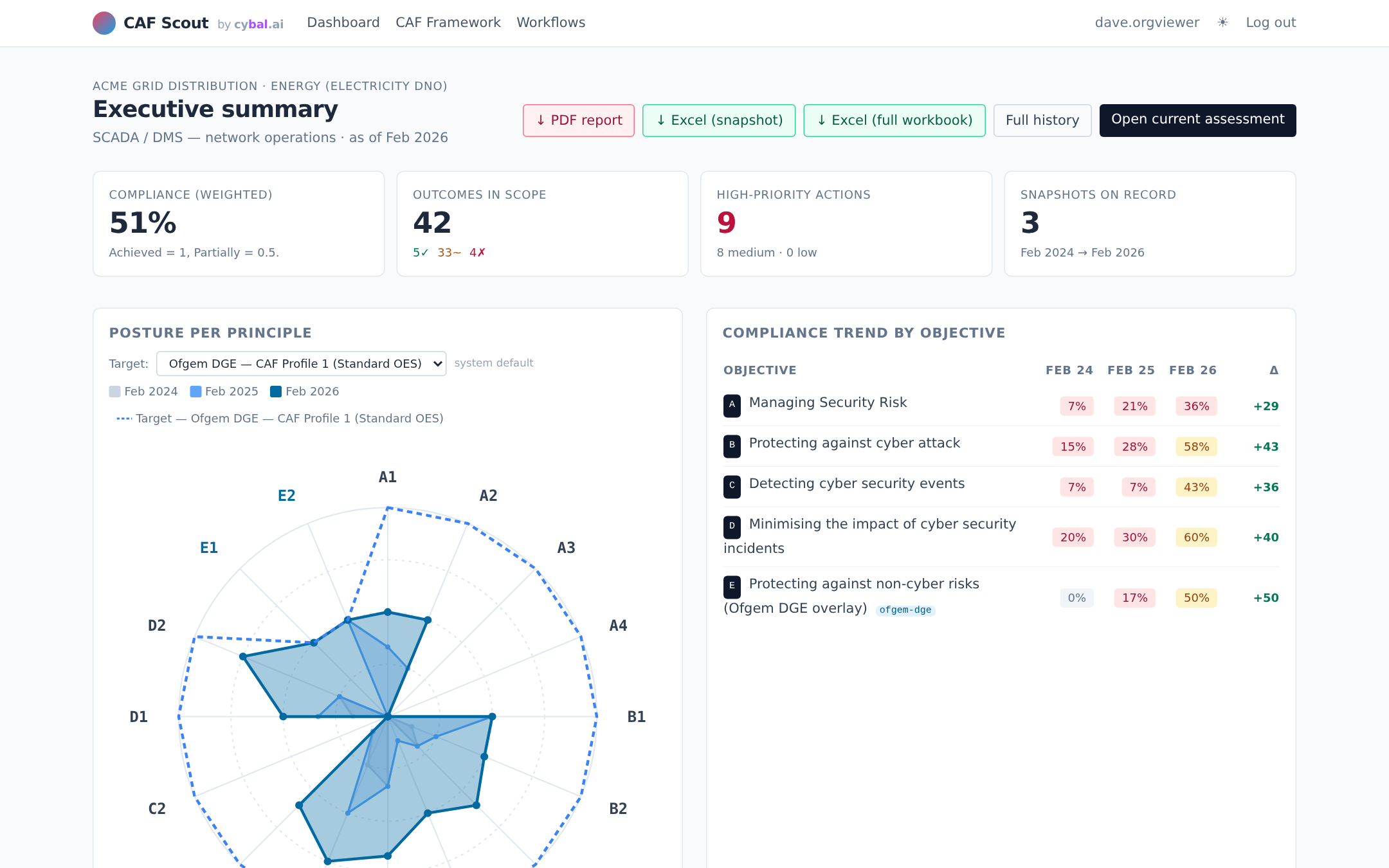
Target profiles for GovAssure, Ofgem DGE, DWI eCAF, NHS DSPT and CAA CAF ship with the tool. Pick the one your regulator cares about and the gap chart adjusts to match.
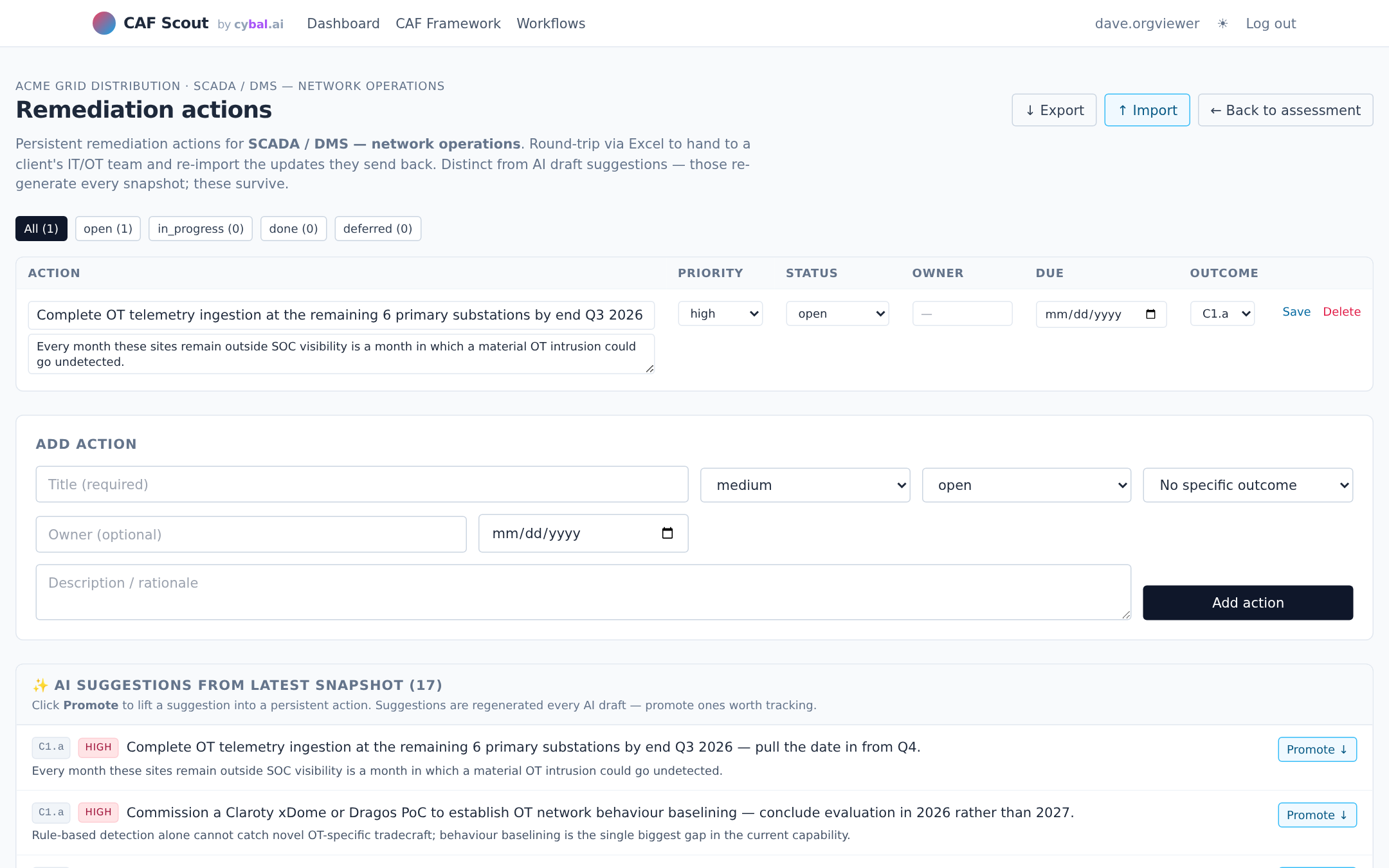
Branded PDF exec reports and round-trippable Excel exports for every artefact: scope, assessment verdicts, evidence register, remediation backlog. Hand a spreadsheet to the client's IT team, import their updates back. Year-on-year snapshots let you compare posture across assessments without re-keying.
Six pages that make up most of a day in CAF Scout.
Evidence packs contain risk registers, incident reports, network diagrams, material you may not want going to a third-party provider. CAF Scout starts with no AI enabled, and lets you choose where the model runs if and when you turn it on.
Out of the box, CAF Scout runs in manual mode, no LLM calls, no external traffic. All the evidence management, scope diagrams, gathering checklist, remediation backlog, reporting and Excel round-trip still work. Use it as a pure workbench, then decide on AI when you're ready.
Your data.
Your choice of model.
Flip a switch in /settings and CAF Scout will use whichever LLM you've been approved to use. Anthropic Claude (commercial), any OpenAI-compatible endpoint (OpenAI, Azure OpenAI, Bedrock via gateway), or a local runtime (LM Studio, Ollama, vLLM behind your firewall). The evidence never leaves a boundary you haven't explicitly chosen.
Flipping between manual and configured modes takes seconds and can happen mid-engagement. Trial on non-sensitive evidence with a cloud model; switch to local for the OT risk register; turn it all off for the final sign-off. The AI is a tool, not a dependency.
CAF Scout ships as a single Docker container with a local SQLite database. It runs on a laptop, a workstation, an air-gapped VM, or a government-approved tenant, wherever your data has to live.
Everything, evidence text, tags, verdicts, comments, activity log, remediation actions, sits in a single SQLite file on a Docker volume. Back it up like any other client-data file. Rotate keys, destroy the volume, done.
CAF Scout doesn't call out unless you've configured an LLM provider. No telemetry, no crash reporting, no licensing check. What you run is what you see in the container logs.
Air-gapped offshore OT bastion, an internal VDI, a UK-sovereign cloud tenant, a consultant's laptop for the duration of an engagement. Nothing in the stack assumes a public URL or a particular hosting pattern.
At the end of an engagement, docker compose down -v drops the container and the data volume. If the client wants a clean handover, export Excel artefacts first and hand them the file, nothing to migrate.
CAF Scout is a tool. It drafts verdicts from evidence, flags missing indicators, and keeps the assessment organised. What it cannot do is turn "here's what the evidence says" into "here's what it means for this organisation, this regulator, this risk appetite." That judgement is a qualified assessor's job, and no model replaces it. Treat AI-drafted output as a first pass to review and sign off, not a verdict. For a real regulatory submission, the assessor's review is what makes the output defensible; the AI is what makes it quick.
Happy to walk you through CAF Scout, or talk through how you'd use it alongside a qualified assessor for your next CAF cycle. New to CAF? Start with our short intro to the framework.
hello@cybal.ai